GETTING STARTED
Your first plan, step by step
You don’t need to know how to build a workout. Start with your conditions, then use your plan and its action guides to find your next step.
What you’ll need
An iPhone with iOS 26 or later, suitable exercise space and an internet connection for new plans. Training Compass is for ages 16 and over who can exercise independently. Apple Watch is optional—you can follow the guidance without an Apple Watch.
Download on the US App StoreTraining Compass is now available on the US App Store and supports English and Simplified Chinese. Your first 20 delivered plans are free, without automatic billing.
Start in Today
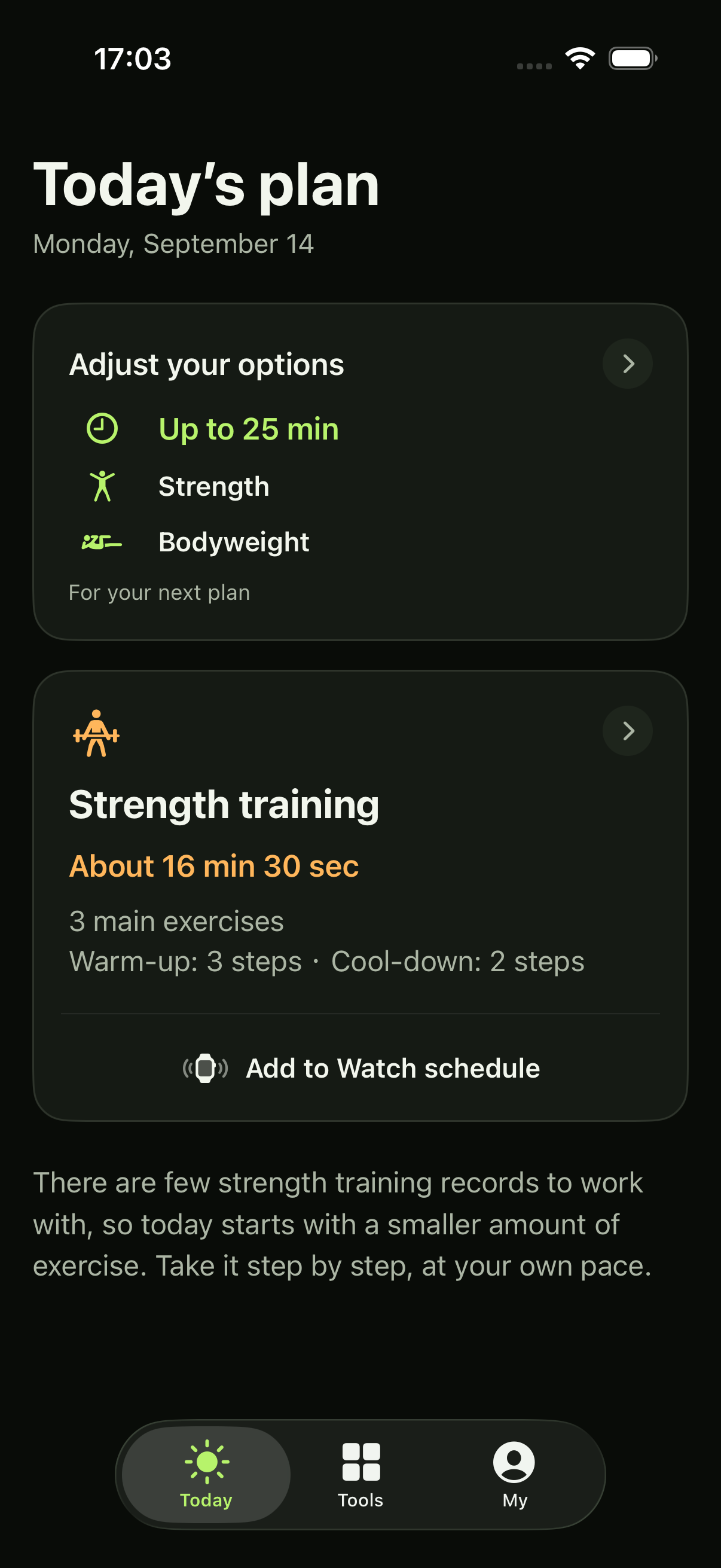
Today brings your conditions and current plan together. This example shows a saved strength plan.
- At the top, open your options to change the time, training types and equipment for your next plan.
- Open the training card to see the plan and its action guides.
- The bottom navigation takes you to Tools and My.
App screenshots with example data. Your plan may differ. Select the image to view it full size.
Tell the App what fits today
In Today, open your training conditions. Choose a maximum of 25, 35, 45 or 60 minutes and allow at least one training type: aerobic, strength or functional. This time includes preparation, rests and the finish; your plan may be shorter.
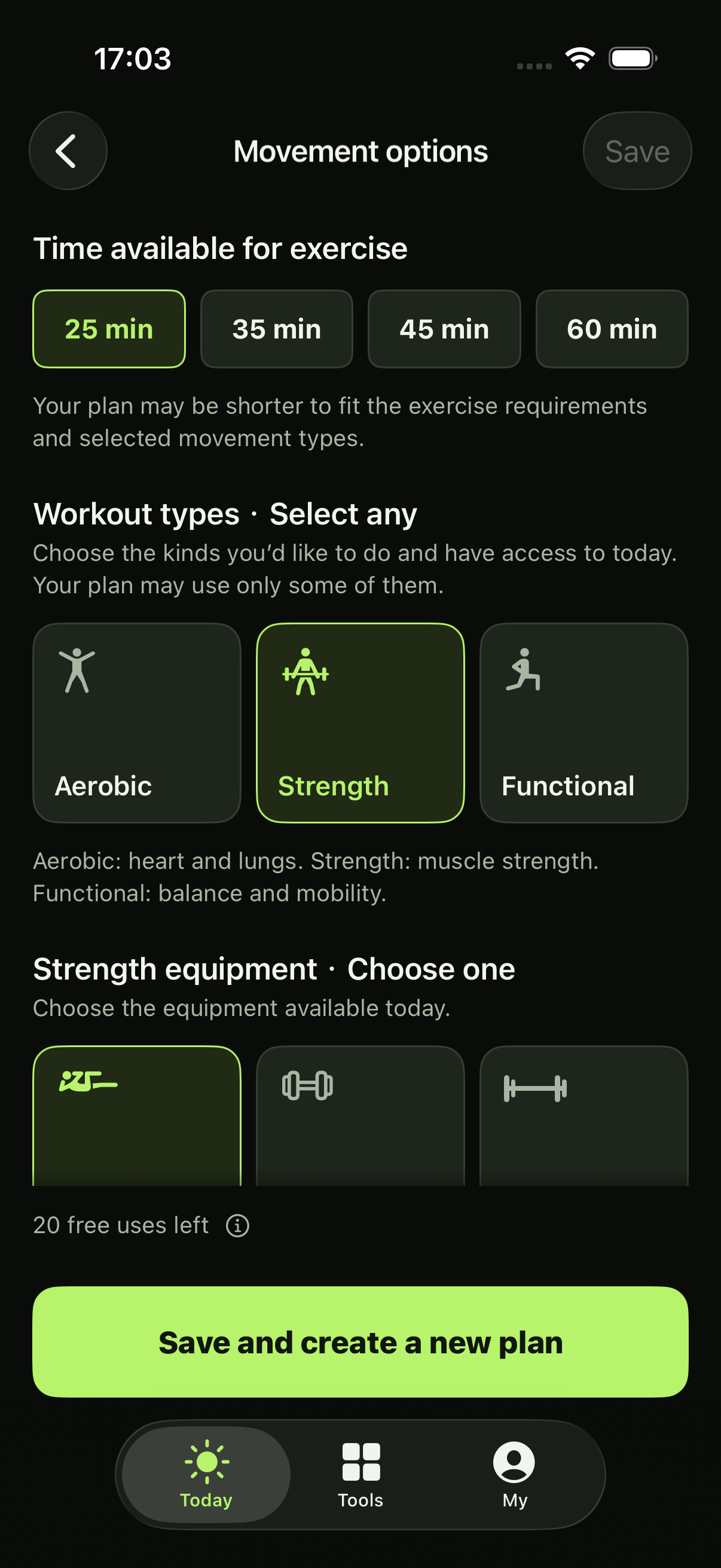
For aerobic training, choose walking, running or cycling. For strength, choose bodyweight, dumbbells or barbells to match the environment you can actually use. All need suitable space, floor and wall support; the dumbbell environment also includes a bench, and the barbell environment includes a rack. You do not need to enter weights.
Saving conditions alone does not generate a plan or change an existing one. When you are ready, choose to generate. The App screenshots use example data; your plan may differ. Select an image to view it full size.
Make your choices
The first time you create a plan, enable the online plan service when prompted. It verifies your App Store access, free uses and subscription. There is no separate product sign-in. Your iPhone generates the plan and explanation locally; no cloud AI processes them.
Apple Health access is a separate choice. If your birthday is unavailable, the App asks you to confirm it for age eligibility and age-related planning. You can manage permissions and the service later in My.
If I don’t share Health data
You can still use settings, subscriptions and local tools, and create strength or functional training when the required conditions are met. Aerobic training needs enough heart-rate information. If only aerobic training is allowed and that information is missing, check the data and permissions or allow another training type. The App will not present that problem as a rest plan.
Read the plan, then the movement
Open a training card in Today to see its preparation, main work and finish. Tap an action to read how to do it, how much your plan asks for, and any relevant adjustments or stopping conditions. You can use these guides to exercise on your own.
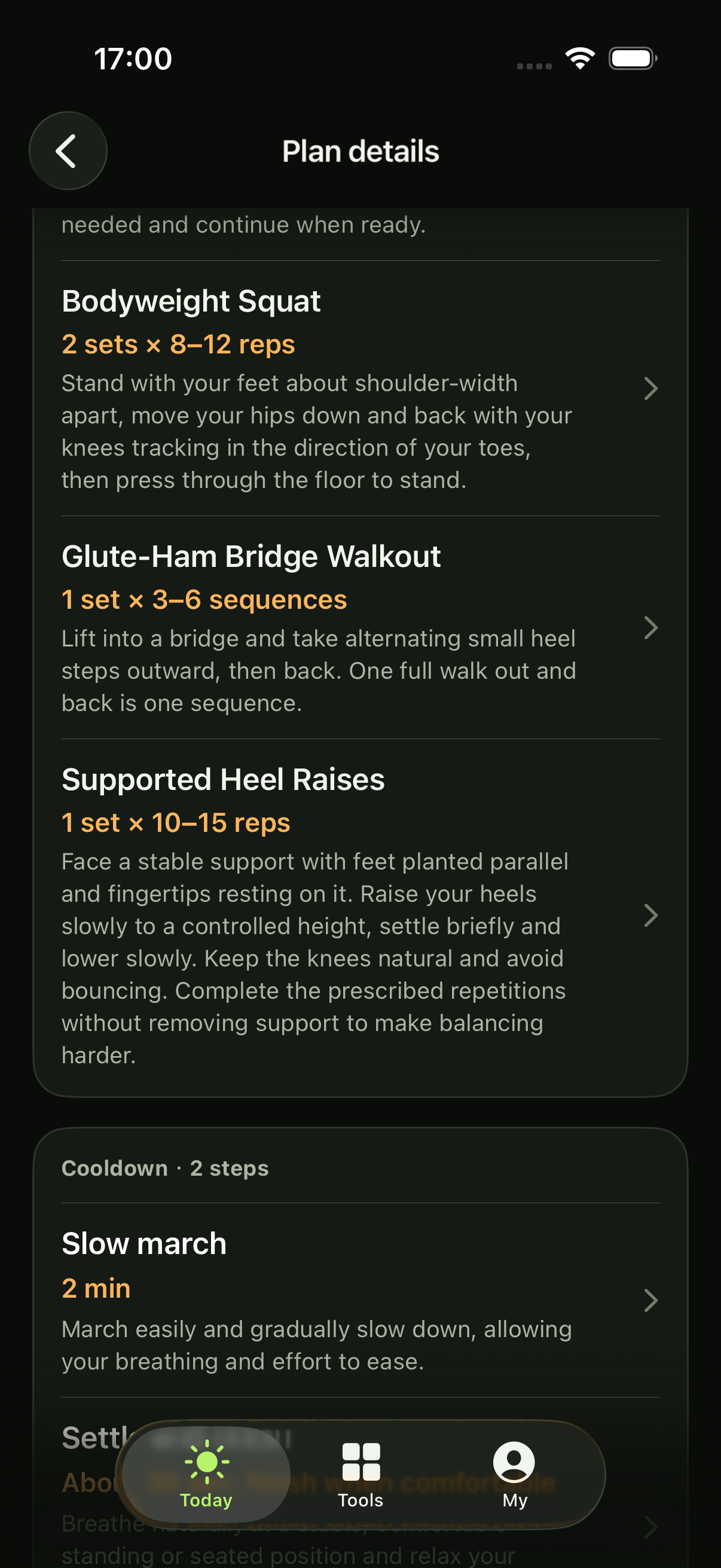
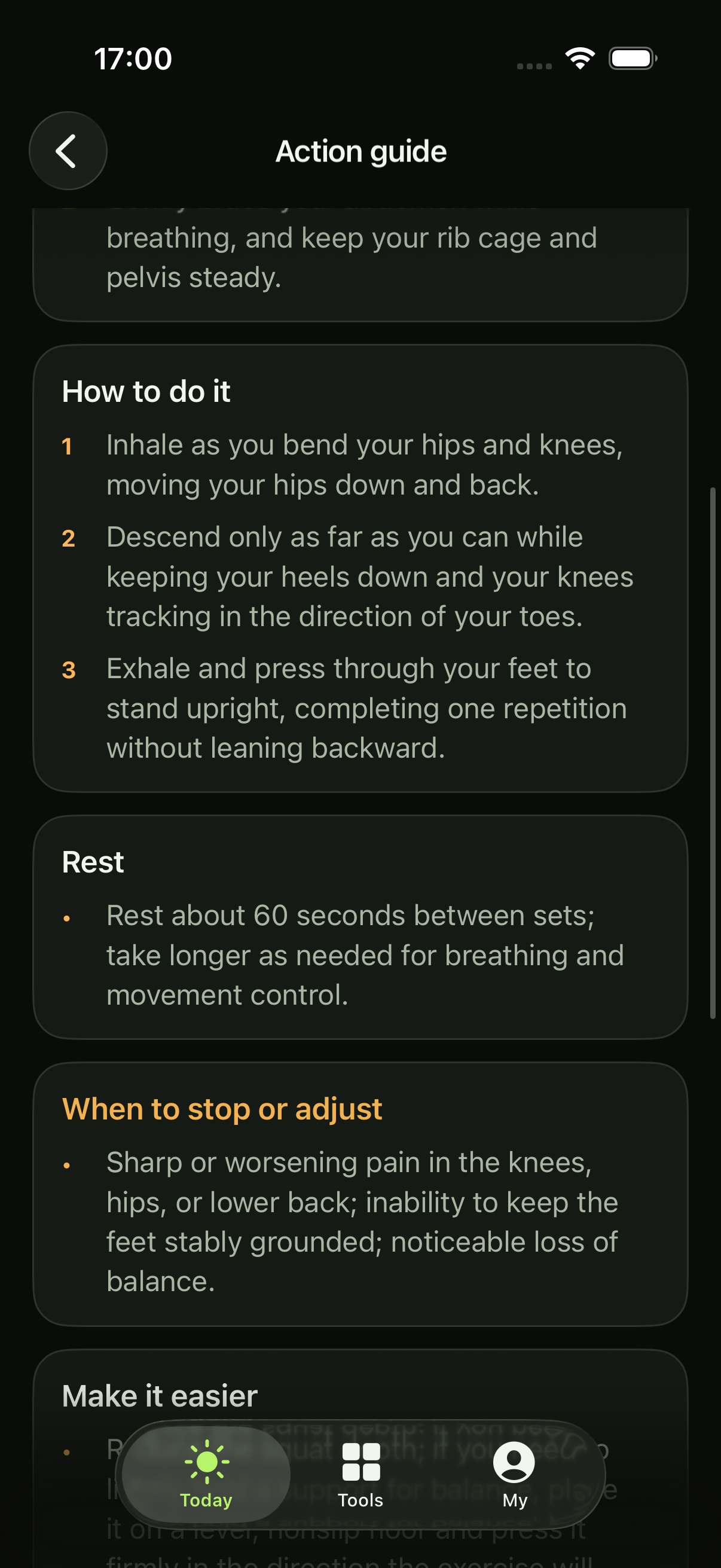
Your plan depends on the training types you allow and the records available. Sometimes it recommends rest. That is a valid result, not a failed request. The plan may include aerobic or strength as the main workout, plus functional work when suitable; it does not promise every training type in each session.
This is general fitness guidance, not diagnosis, treatment or rehabilitation. It does not guarantee a training or health outcome.
If you use Apple Watch
For supported workouts, use Add to Watch schedule in the App. An accepted schedule is not proof that the workout has reached your Watch: check the Watch before starting. It is not a record of completion either.
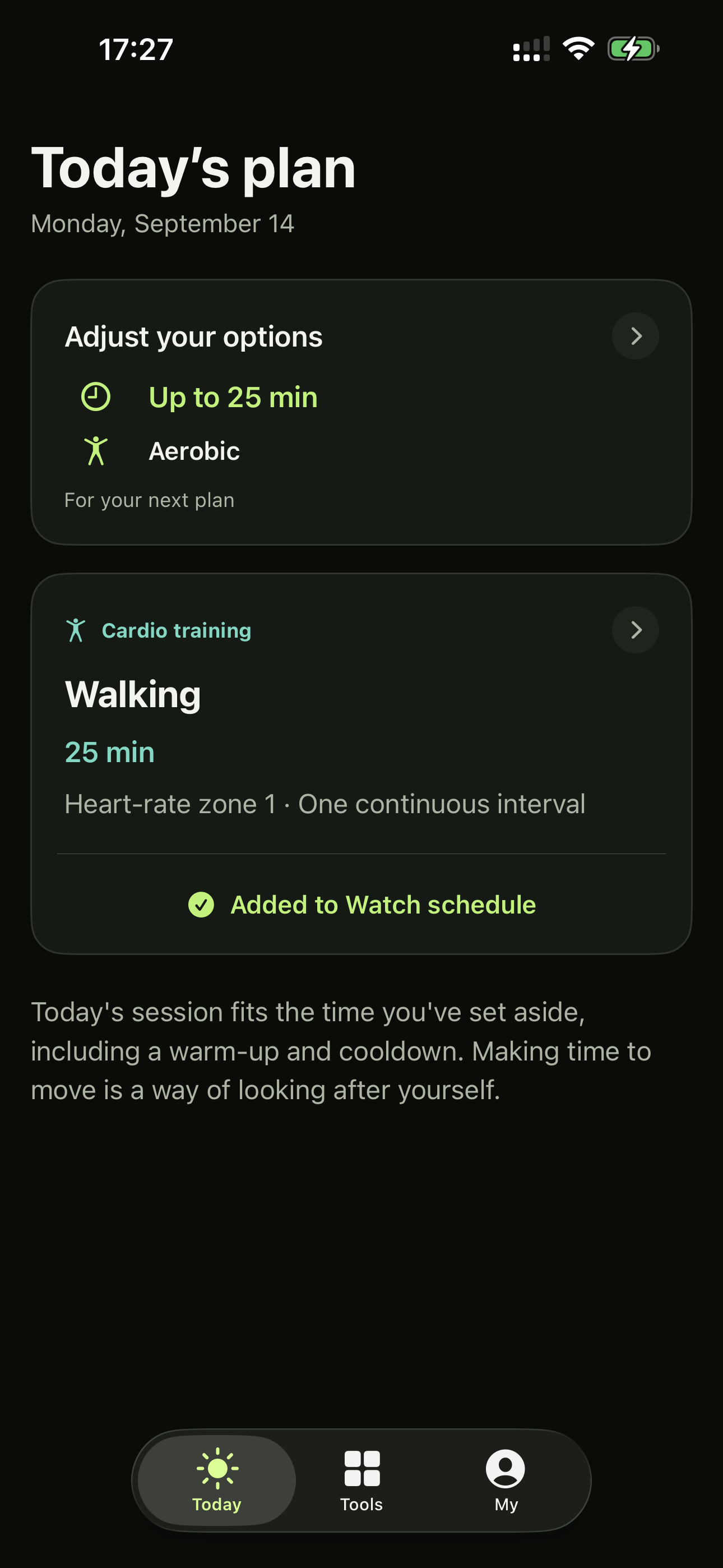
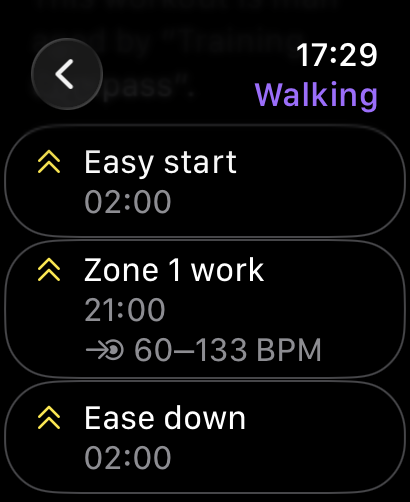
A 25-minute walking example, shown on iPhone and Watch before starting. Select an image to view the full screenshot.
Watch use needs compatible hardware, system capabilities and its own authorization. Follow the App’s guidance if a workout cannot be sent. You can still read the plan and teaching on iPhone. Watch help ↗
A moment to pause
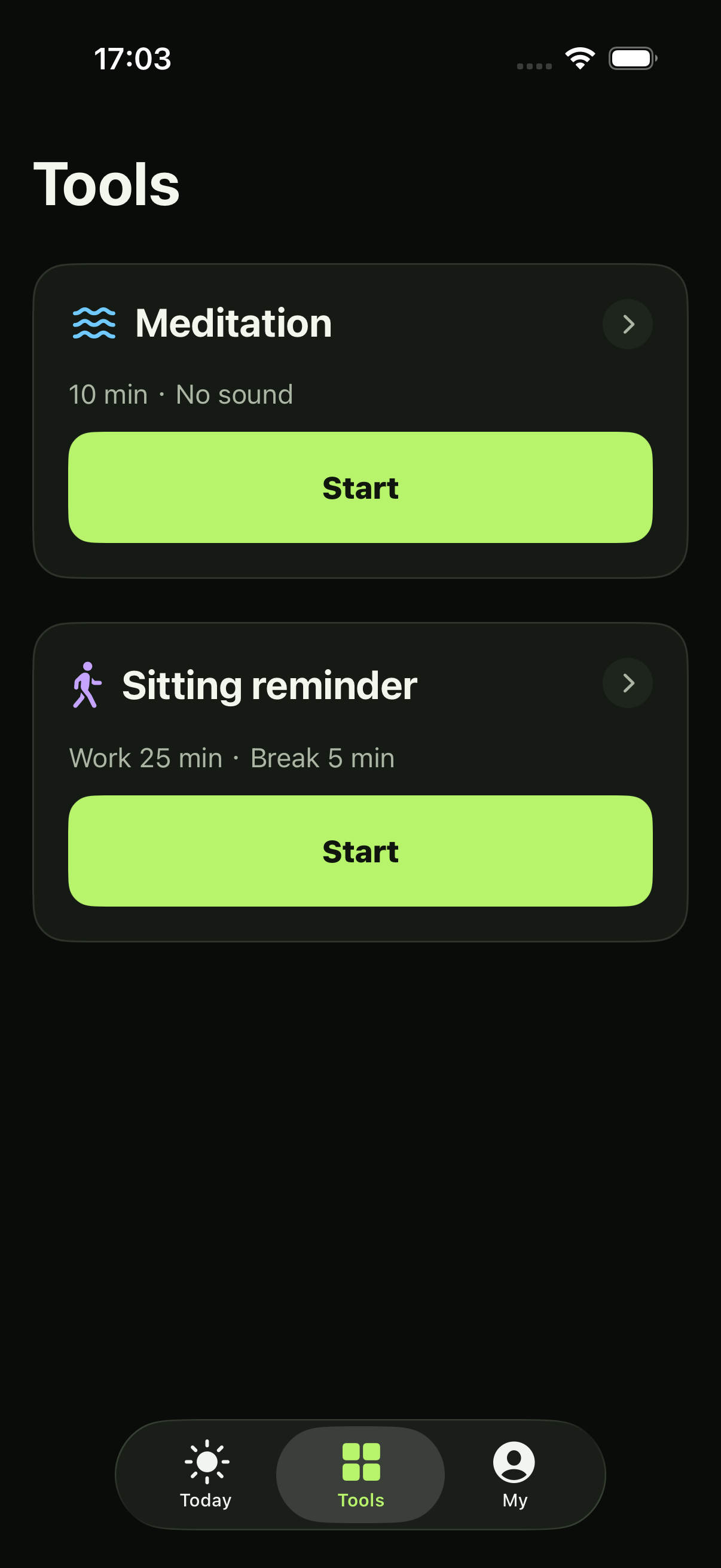
Open Tools for meditation and sitting timers. They are free, work offline, and need neither Health access nor the online plan service. They do not use plan allowances.
- Meditation: choose 1–120 minutes, with silence or an included background sound. The timer counts up until the target or until you end it.
- Sitting timer: set work and break targets. When a target is reached, elapsed time keeps counting; you choose when to start a break or return to work.
Reminders and Live Activities depend on your system settings. They are not required to create a plan. Timer help ↗
Try it, then decide
Each verified App Store identity has 20 free delivered plans in total. Training and rest both count. Failed attempts do not count, and repeating confirmation of the same delivery does not count twice. Generating a different plan can use another free plan.
The allowance does not reset daily or monthly and never starts billing automatically. A subscription gives continued plan access for US$9.99/month or US$69.99/year, paid yearly, with the same benefits. While subscribed, your remaining free uses are preserved.
Subscriptions renew automatically unless canceled. Check Apple’s local price, taxes and terms before buying. There is no daily plan quota, but repeated rapid requests may need a brief wait. Manage billing ↗
Start with the day you have
After time away, review your conditions and generate when you are ready. Recommendations use actual records; missed plans do not become a debt to make up. Plan history in My shows what the App provided, not proof that you completed it.
Saved compatible plans and guides work offline. New plans need an internet connection. Full plan history stays on the iPhone; restoring a purchase does not recover deleted plans. Get help ↗